

Buttons
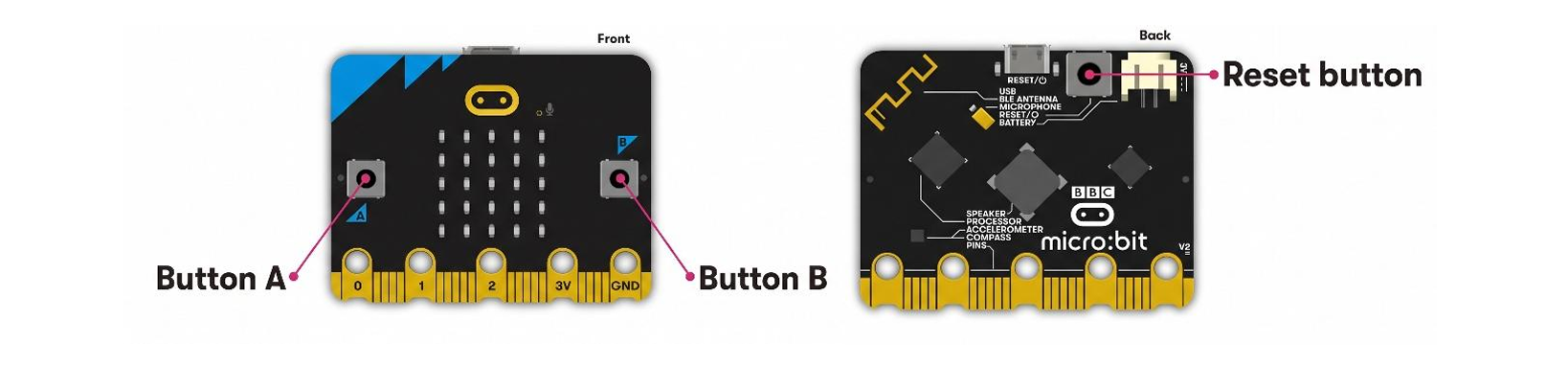
The micro:bit has three tactile push buttons: two on the front (A and B) and one on the back. The back button is connected to both the interface processor and the nRF52 processor. It is used to reset the system, restarting the program whether the micro:bit is powered by USB or a battery. The front buttons, A and B, can be programmed to perform different tasks. The software detects button presses and helps prevent false signals caused by button bouncing. It can also detect short presses, long presses, and pressing both A and B together. Both A and B are connected to GPIO pins that are also available through the micro:bit's edge connector.
Sample Code
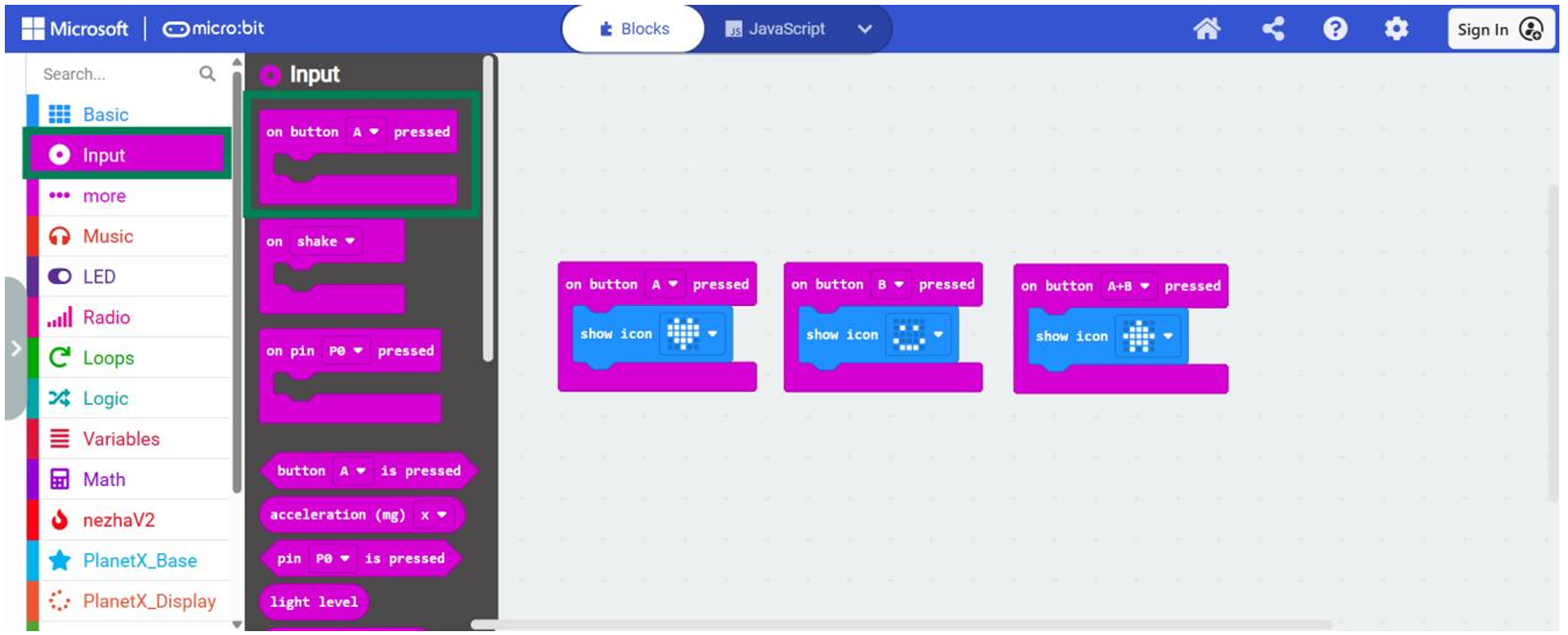
Program Link: https://makecode.microbit.org/_VH4M6ue3q85w
Result: Press A on the micro:bit, and it should display a heart icon. Press B, and it should display a smiley face icon. Press A and B together, and it should display a house icon.
Specifications
| Item | details |
|---|---|
| Type | 2 tactile user buttons, 1 tactile system button |
| Debounce | (A & B) software debounced, 54ms period |
| Pullup | (A & B) external 4K7, (System) 10K |